
Requirements
Any OS (Windows 10 is used for the example)
Download CREDITS API files: https://github.com/CREDITSCOM/thrift-interface-definitions
Create a folder to which you are going to copy the JS files, create an empty html file, for example, index.html.
Create application
Put changes to index.html
Add CREDITS API Script Files
<script src="thrift.js"></script>
<script src="API.js"></script>
<script src="Signature.js"></script>
<script src="api_types.js"></script>
Add connection to Thrift and request balance
<title>CREDITS API JS Demo</title>
<script>
function run()
{
var url = "http://localhost:8081";
var transport = new Thrift.Transport(url);
console.log("debug step 1");
var protocol = new Thrift.Protocol(transport);
console.log("debug step 2");
var client = new APIClient(protocol);
console.log("debug step 3");
var PublicKeyFrom = "H5ptdUUfjJBGiK2X3gN2EzNYxituCUUnXv2tiMdQKP3b";
var BytePublicKeyFrom = Base58.decode(PublicKeyFrom);
console.log("debug step 4");
var obj = client.BalanceGet(BytePublicKeyFrom, 1);
console.log("debug step 5");
console.log(obj);
Check the performance. Call the GetBalance Method.
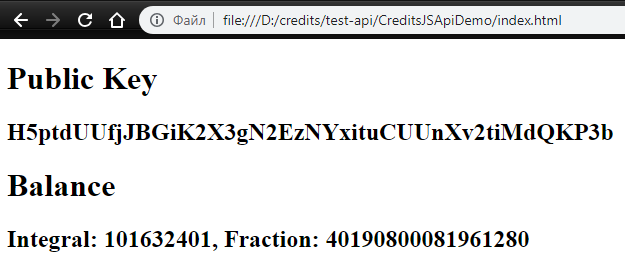
As the result of the program we see the requested balance: page view:
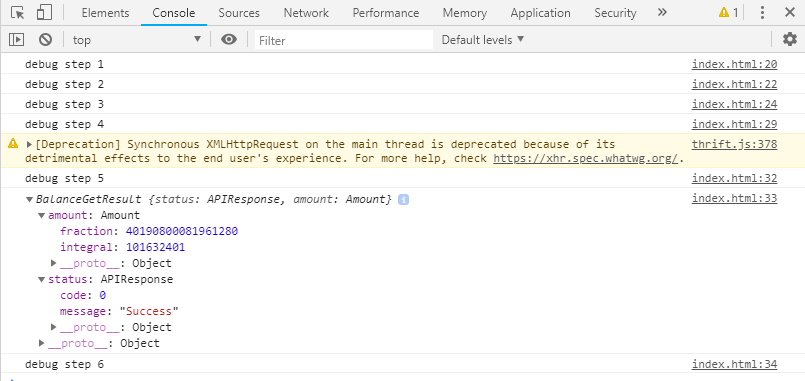
View via developer tool:
GitHub link: https://github.com/pvl1175/CreditsJSDemo
